
Answer your AI agents
When Claude Code asks for permission, the question shows on the panel and you touch Allow or Deny. See what Claude Code, Codex and ZCode are doing, since when, and where.
箪笥 · tansu, the Japanese chest of drawers
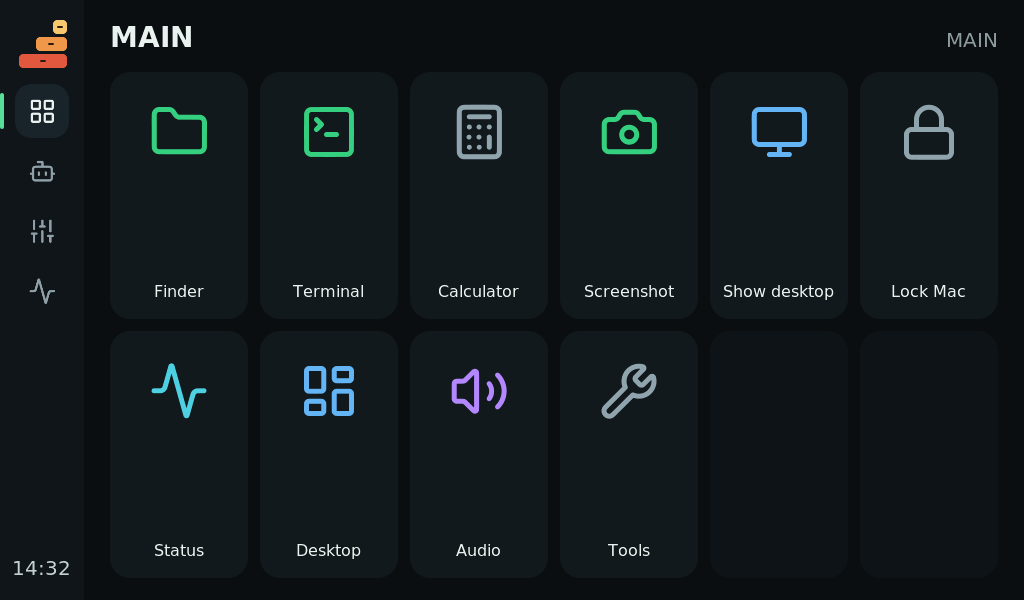
Tansu turns a touchscreen into a deck for your Mac: keys for apps, shortcuts and macros, a touch strip that follows the app in front, live gauges, a sound mixer and a place to answer your AI agents.
What it does
When Claude Code asks for permission, the question shows on the panel and you touch Allow or Deny. See what Claude Code, Codex and ZCode are doing, since when, and where.
The touch strip changes with the app in front: window size and place, what's playing, your notifications, and the tabs, bookmarks or top sites of any browser on your Mac.
Up to 40 keys per page, up to three slots wide. Real app icons, 1,895 Lucide icons or your own images. Over 100 ready-made actions and 8 templates to start from.
Multi-step actions, long press, double press, hold to confirm, toggles, counters and timers. Profiles switch with the app in front, and a lock key keeps you put.
Live CPU, GPU, memory, disk and network gauges. A sound mixer with a fader per program. Your next meeting, the clock, a timer, the music that's playing.
Run a script from a key, drive the panel from your own tools with the local API or deckctl, or write a plugin. Home Assistant and OBS Studio plugins are included.
Set up in minutes
Arrange keys in a drag-and-drop editor on your Mac. Changes save on their own and reach the panel straight away. Nothing runs until you touch a key on the panel.
Private by design
No account, no cloud, no subscription. Your profiles live on your Mac, the panel talks to it over USB, and the editor listens on your own machine only. Tansu goes online only for what you turn on, such as the weather, and the documentation lists every address it contacts.
Get Tansu
Open source
Free + a board, such as the CrowPanel Advance 7″, $56.90 at Elecrow
Coming soon
Pre-orders date and price to be announced
The same open-source software as the free version. Buying a kit is optional and never needed to use Tansu.
Open source
Every part of Tansu is MIT licensed: the panel firmware, the Mac host, the editor, the desk console's CAD models. Port it to another board, write a plugin, or read exactly what it does.
The source and the first release are on their way. Until then, Tansu runs from its source folder and the firmware is built with ESP-IDF.
| GUITION JC1060P470C | ESP32-P4 · 7″ · 1024×600 |
|---|---|
| Elecrow CrowPanel Advance 7.0 | ESP32-P4 · 7″ · 1024×600 · $56.90 |
| Elecrow CrowPanel Advance 10.1 | ESP32-P4 · 10.1″ · builds, untested · out of stock |
| Waveshare / Sunton 7″ S3 | ESP32-S3 · experimental |
Elecrow prices as listed on elecrow.com on 20 November 2026, before shipping and tax. Elecrow's Home Assistant control panels look similar but are locked to their own firmware and can't run Tansu. You also need a USB-C cable and a Mac with macOS 15 or newer.
Questions
No. Tansu is made for the Mac and needs macOS 15 or newer. It uses the Mac's own notifications, sound, windows and permissions.
No. The kit runs the same open-source Tansu that anyone can build. It saves you finding a board, flashing it and printing a housing.
We haven't set a date or a price yet. Both will be announced here before pre-orders open.
There's no click, which is the trade-off of a touchscreen. A key shows it is pressed the moment your finger lands and runs its action when you lift it, and keys can ask you to hold or press twice before something drastic.
No. Tansu is inspired by macro decks like Stream Deck and OpenDeck but is its own project, not affiliated with Elgato or Corsair.